Decorations
Avatar decorations, frames, nameplates and name effects. Other Chatter users can see them too.
I made Chatter because I wanted Discord decorations, themes and a nicer looking chat on my phone. You sign in with your normal Yapper account and everything else is just there.
Works on Android and iOS. Not on any app store, you download it from here.
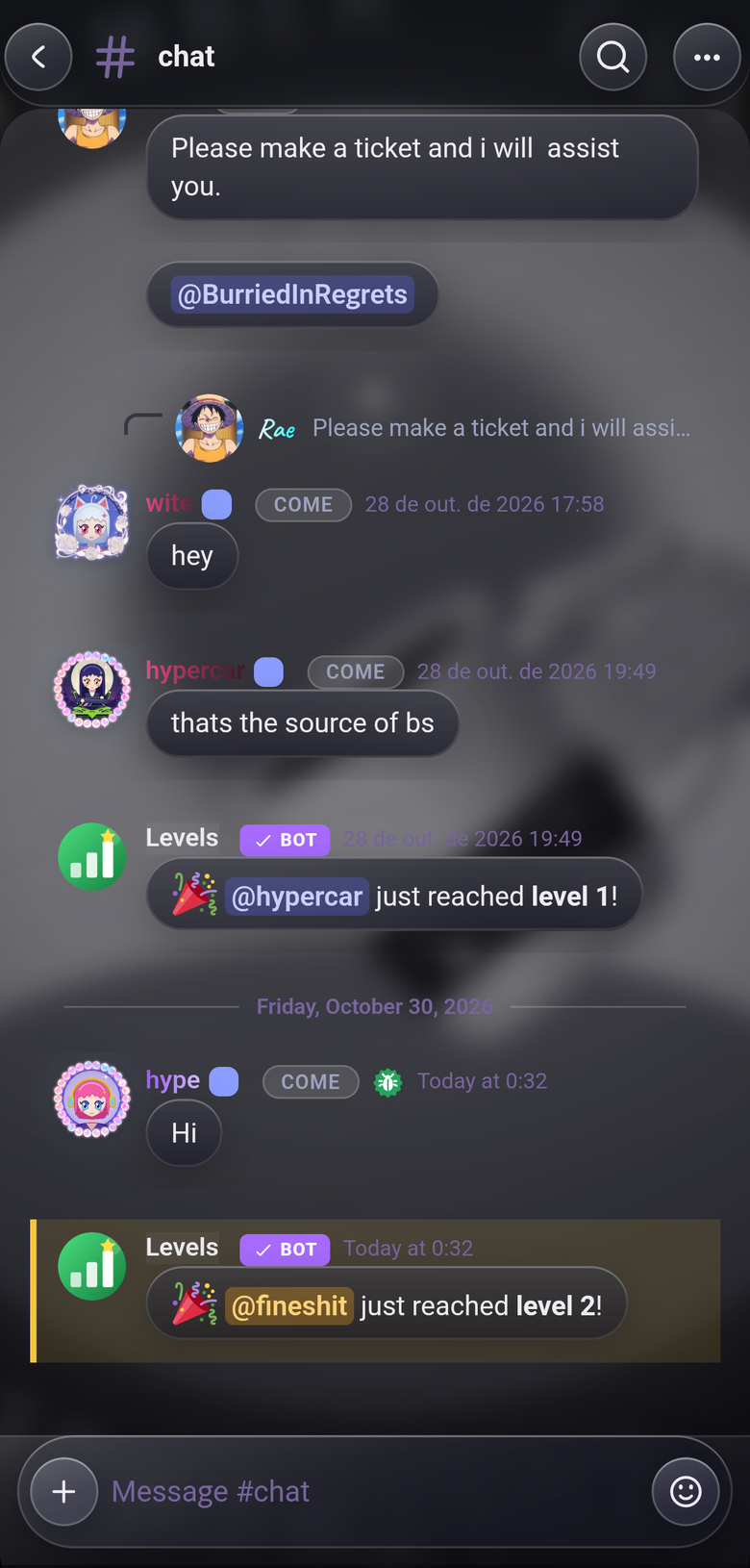

Pick a decoration and it sits right in the middle of your avatar. In chat, in the member list, in your profile. It doesn't get cropped or pushed into a corner.
Other people on Chatter see your frame and name effect too.
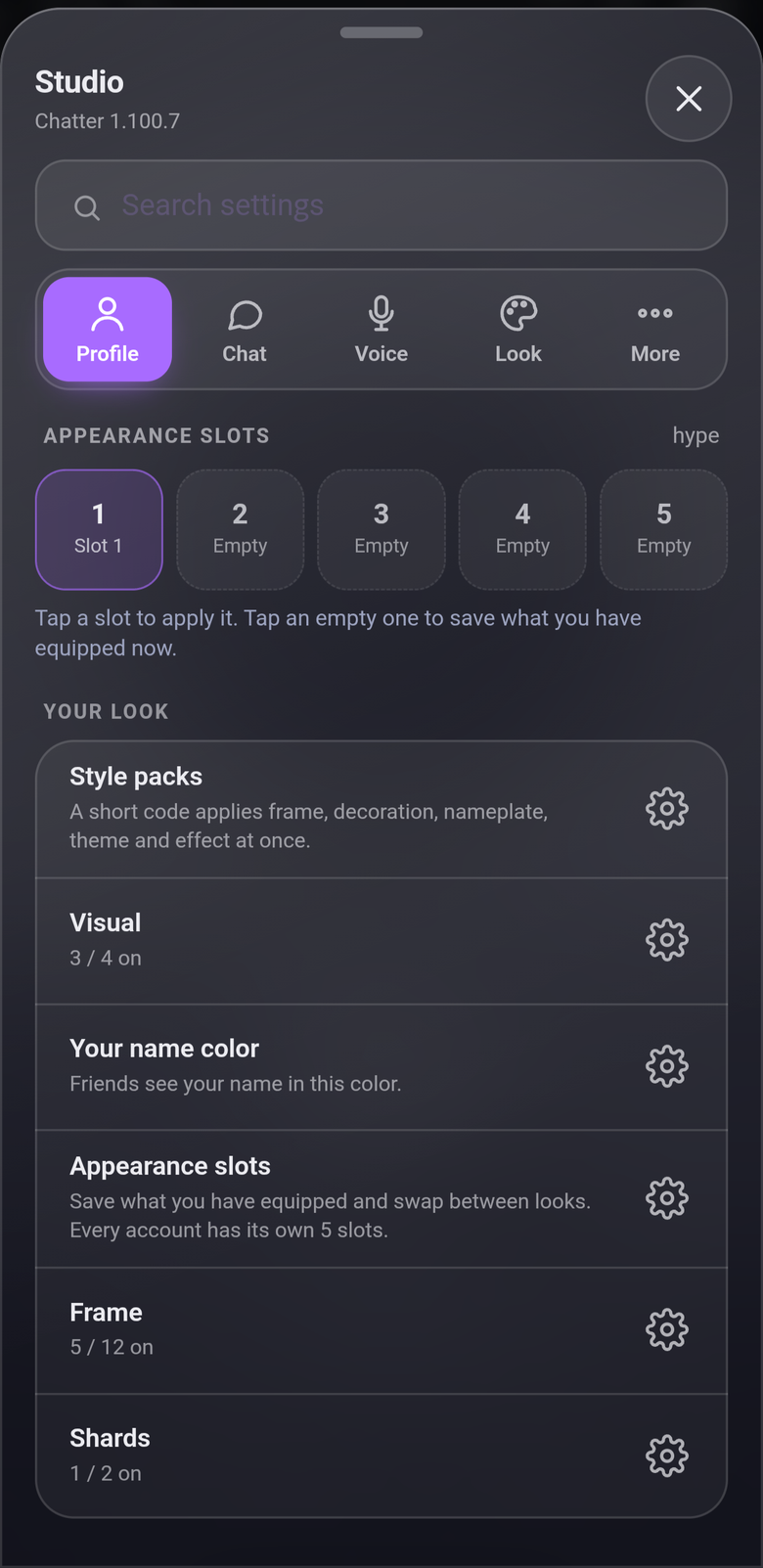
All the settings are in one place, split into Profile, Chat, Voice, Look and More. Every row is a switch with a gear next to it for the details. Can't find something? There's a search bar at the top.
The five slots at the top save your whole look. Tap a slot to use it, tap an empty one to save what you have on right now.
Open it from Settings, or hold the user bar.
The chat works like it always did. These are the extras.
Avatar decorations, frames, nameplates and name effects. Other Chatter users can see them too.
Save your whole look and swap between 5 of them with one tap. Every account gets its own.
Dark, light, AMOLED, sakura and more. Or make your own.
Blurry glass panels with your wallpaper showing through. Turn it off if your phone struggles.
Share from DMs and voice channels, pause it, and record the call on your phone.
Optional. Text only, 1:1 chats, between two people who both use Chatter.
Only mentions, DMs and friend requests. Tap one and it jumps to the message.
Save a message now, come back to it whenever.
The whole app is translated, not just a few labels.
These are the real presets from the app. Tap one and this whole page changes.
Latest build is v1.100.7. Pick your phone.
Needs Android 8.0 or newer. Updates come from inside the app, you just confirm the install.
It's not signed, so there's no App Store version. With a free Apple ID the install runs out after 7 days, just refresh it in AltStore or Sideloadly. No push notifications on iOS.